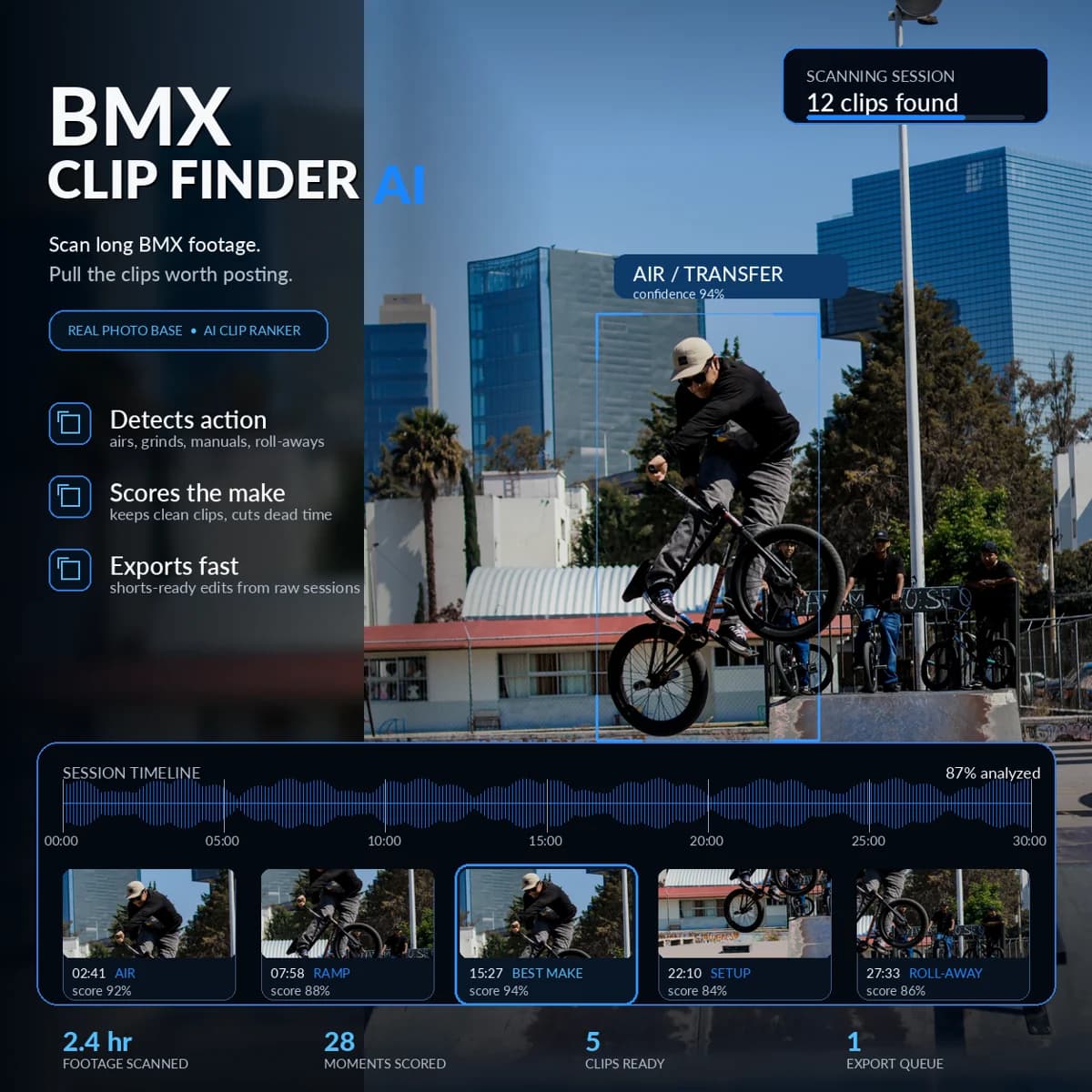
Concept art. The numbers in this image are illustrative, not benchmark results.
Every BMX filmer knows the real cost of a session. You film for two hours and get eight minutes of riding, and then you spend an evening scrubbing through people standing around, rolling back to the spot, and adjusting the camera. The editing isn't hard, but finding the clips is.
That search is exactly the part AI is good at. This guide explains how automated BMX clip extraction works, what it can and can't do, and how to run it on your own footage.
The workflow in one sentence
A vision model looks at sampled moments from your long horizontal video, decides which ones contain riding, and FFmpeg cuts each riding interval into its own clip. Your original footage is never modified.
How the BMX Clip Extractor works
Our BMX Clip Extractor is built for the first step of the edit: turning one long source video into many separate riding clips.
- Find candidate moments. Tricks are loud. Grinds, landings, and slams produce audio peaks, so the tool decodes the audio track and finds high-energy moments worth checking.
- Look at the frames. Around each candidate, it samples frames and asks Qwen2.5-VL, an open vision-language model running on your GPU, to classify them as Trick, Bail, Setup, or Nothing.
- Cluster the action. Nearby accepted moments merge into one riding interval, so a line becomes one clip instead of five fragments.
- Pad the cut. Pre-roll and post-roll keep the approach and the rollaway. A "line context" recut mode adds 8 seconds before and 4 after for when the setup trick happened earlier in the line.
- Cut losslessly. FFmpeg stream-copies each range into a standalone MP4 with no re-encode and no quality loss.
- Review. Every run writes a JSON log of every decision plus an HTML review page with thumbnails, so you can see what was kept and why before you edit.
If a cut is too tight, recut mode reuses the existing scan log, so the AI doesn't need to run again. It only asks FFmpeg for new boundaries.
Terrain matters: street, park, and trails
The extractor has separate prompts for each terrain, because a model needs different vocabulary for each:
- Street: grinds, manuals, gaps, ledges, stairs, wall rides, bonks, and bails. The rider is usually close and impacts are loud. This is the strongest, most-tested profile.
- Park: quarterpipe and bowl airs, transfers, flips, whips, barspins, and lip tricks, as distinct from pumping, carving, and dropping in. Implemented, but it still needs footage-specific testing. Fast trick cadence and music or crowd noise make audio peaks less reliable.
- Trails: small distant riders, takeoffs, airborne riders, cases, and crashes. Implemented, but also still being validated. Trail cameras sit far away and landings can be quiet.
We'd rather tell you this than promise all three are equally dialed. Start with street footage.
What it does not do
The extractor deliberately stops after extraction. It does not crop to vertical, build reels, pick music, sequence an edit, or post anything. Your horizontal YouTube-ready footage stays horizontal at its original resolution. Reels and vertical crops are a separate job, so the extraction step can never wreck your master footage.
Two technical notes:
- Cuts land near keyframes. Stream copy is lossless and fast, but the boundaries snap to the nearest keyframe. That's usually a fraction of a second, which is why the padding exists.
- It needs an NVIDIA GPU with CUDA. The model runs on
cuda:0. The 3B model is the faster option for smaller cards, and 7B is the higher-quality pass. Expect around a 15 GB model download for 7B on first run.
A realistic session workflow
- Film normally. Keep sessions horizontal. Avoid digital stabilization modes that crop wildly, and keep the camera audio on, because the tool uses it.
- Offload to a folder per session, like
D:\BMX\raw\2026-10-17-spot-name\. - Run the extractor on one file first:
venv\Scripts\python workspace\bmx_riding_extractor.py `
  D:\BMX\raw\2026-10-17\C1120.MP4 `
  --output-dir D:\BMX\clips\2026-10-17 `
  --model qwen2-7b
- Open the review HTML. Check for false positives (someone rolling around) and misses (a quiet manual).
- Recut with line context if lines got chopped.
- Drop the clips into your editor. DaVinci Resolve, Premiere, and CapCut all import the MP4s directly.
That reverses the job: instead of hunting for clips, you start your edit with every clip already sitting in a folder.
Don't have the GPU for it?
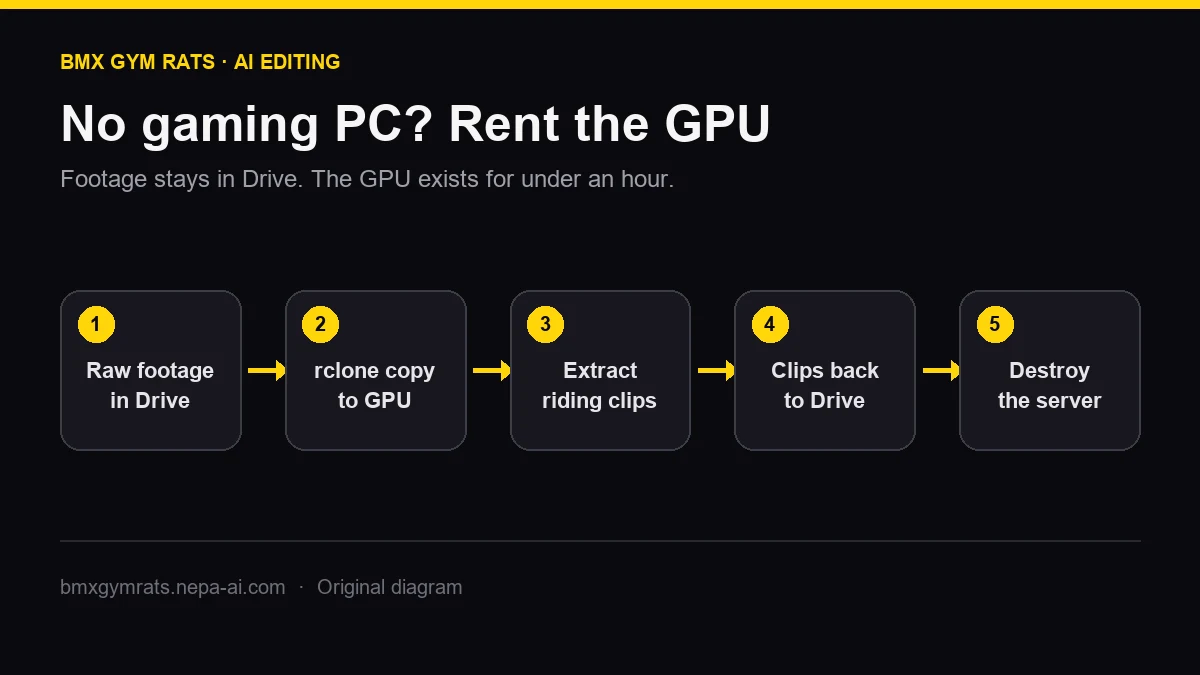
Plenty of riders film on a phone and edit on a laptop. You can still run this. Keep your footage in Google Drive and rent a GPU by the minute only when you need to process a session. The full walkthrough is in Edit BMX footage with a cloud GPU.
New to running AI locally? Start with How to install Ollama and run local AI on your BMX footage. It's a 20-minute test that shows whether your machine is up for it.
Get the tool: the BMX Clip Extractor is a one-time purchase with no subscription. It runs on your own GPU or one you rent.