Ultimate Smartphone Filming Guide for BMX & Action Sports
Introduction
In today’s fast-paced world, your mobile phone can be one of the most versatile tools for capturing action sports footage. Whether you’re riding BMX or tackling other adrenaline-fueled activities, the latest smartphones pack impressive camera features that allow you to shoot high-quality videos right from your pocket. With the right accessories, your mobile setup can rival dedicated action cameras and even help you produce professional-looking content on the go.
In this guide, we’ll explore the best mobile phone setups for filming BMX and action sports—from flagship powerhouses like the iPhone 16 Pro and Samsung Galaxy S24 Ultra to budget-friendly workhorses like the iPhone 16 e and Pixel 9a. We’ll cover key considerations, recommended phones, must-have accessories, and pro tips to ensure you capture every trick, jump, and moment with ease.
Key Considerations
Before you choose a phone and gear, keep these factors in mind:
-
Camera Quality & Frame Rates
- Look for at least 4K @ 60 fps or 1080p @ 120 fps for smooth slow-mo.
- HDR, night modes, and multi-lens arrays (ultra-wide, telephoto) boost versatility.
-
Stabilization
- Many phones offer OIS/EIS, but a 3-axis gimbal (e.g., DJI Osmo Mobile) adds pro-level smoothness.
-
Lens Attachments
- Clip-on wide and tele lenses expand your field of view and framing options.
-
Mounts & Accessories
- Handlebar, helmet, and chest mounts secure your phone for POV shots.
- Magnetic quick-release systems speed setup/teardown.
-
Lighting & Audio
- A small LED panel for low-light.
- An external mic (TRRS or USB-C/Lightning) for clear commentary and action sounds.
-
Editing & Connectivity
- Powerful mobile editing apps (e.g., LumaFusion, CapCut).
- Fast file transfer via Wi-Fi 6 or Bluetooth 5.x.
-
Battery Life & Power
- Power banks or in-case battery packs keep you rolling all day.
Recommended Phones & Setups
Below are our top picks—covering premium, mid-range, and budget tiers—plus the key specs and accessory suggestions for each.
| Tier | Model | Video Modes | Lenses | Stabilization | Price (Approx.) |
|---|---|---|---|---|---|
| Premium | iPhone 16 Pro | 4K60/4K120, HDR | Triple (wide/ultra/tele) | OIS + Sensor-Shift | $1 199+ |
| Samsung S24 Ultra | 8K30/4K60, HDR10+ | Quad (incl. 5× tele) | OIS (x5 lenses) | $1 299+ | |
| Sony Xperia 1 VI | 4K120, Eye AF for vid | Triple (Zeiss optics) | OIS + EIS | $1 199+ | |
| Mid-Range | iPhone 16 | 4K60, HDR | Dual (wide/ultra-wide) | OIS | $799+ |
| Google Pixel 8 | 4K60, HDR | Dual (wide/ultra-wide) | OIS | $699+ | |
| Budget | iPhone 16 e | 4K60 | Single wide | OIS | $499 |
| Google Pixel 9a | 4K30/1080 60 | Single wide | OIS | $299 |
1. Premium Tier
iPhone 16 Pro
- Video: 4K @ 24/30/60/120 fps, Cinematic Mode, ProRes 4K 30 fps
- Lenses: 24 mm (ƒ/1.5), 48 mm tele (ƒ/2.8), 13 mm ultra-wide (ƒ/1.8)
- Stabilization: Sensor-shift OIS + Cinematic EIS
- Extras: LiDAR autofocus; Dolby Vision HDR
- Accessories:
- Gimbal: DJI Osmo Mobile 6
- Lens Kit: Moment Wide + Tele attachment
- Mount: Quad Lock Handlebar + Helmet mounts
- Audio: Shure MV88+ (Lightning)
Samsung Galaxy S24 Ultra
- Video: 8K @ 24 fps; 4K @ 30/60 fps; Super Slow-Mo 1080 @ 240 fps
- Lenses: 23 mm wide, 12 mm ultra-wide, 70 mm tele2×, 230 mm periscope 10×
- Stabilization: OIS on all lenses + AI gyro-EIS
- Extras: Director’s View, HDR10+ recording
- Accessories:
- Gimbal: Zhiyun Smooth 5
- Lens Kit: Apexel 3-in-1 (wide/fisheye/tele)
- Mount: Peak Design Capture Clip
- Audio: Rode VideoMic Me-C (USB-C)
Sony Xperia 1 VI
- Video: 4K @ 24/30/60/120 fps via Cinema Pro
- Lenses: 24 mm, 85 mm tele (Optical Zoom 3.5×), 16 mm ultra-wide
- Stabilization: OIS + Active EIS
- Extras: Real-time Eye AF for video; Photo Pro app
- Accessories:
- Gimbal: FeiyuTech VLOG Pocket 2
- Lens Kit: Sony VCL-ECU2 Ultra-Wide Converter
- Mount: Ulanzi Phone Cage + MagicArm
- Audio: Sony ECM-W2BT wireless lavalier
2. Mid-Range Tier
iPhone 16
- Video: 4K @ 24/30/60 fps, Cinematic Mode (1080 @ 30 fps)
- Lenses: 26 mm wide, 14 mm ultra-wide
- Stabilization: Sensor-shift OIS
- Accessories:
- Gimbal: DJI OM 5
- Lens Kit: Sandmarc Wide + Macro
- Mount: JOBY GripTight PRO
- Audio: Boya BY-DM1 (Lightning)
Google Pixel 8
- Video: 4K @ 30/60 fps; 1080 @ 120 fps (slow-mo)
- Lenses: 25 mm wide, 17 mm ultra-wide
- Stabilization: OIS + EIS
- Accessories:
- Gimbal: Hohem iSteady X2
- Lens Kit: Moment Wide Lens (Pixel edition)
- Mount: Ulanzi Phone Tripod Mount
- Audio: Sennheiser MKE 200 (3.5 mm)
3. Budget Tier
iPhone 16 e
- Video: 4K @ 24/30/60 fps; 1080 @ 120 fps
- Lens: 26 mm wide (ƒ/1.8)
- Stabilization: OIS
- Accessories:
- Gimbal: Hohem iSteady X
- Lens Kit: Apexel Clip-On 2× Tele
- Mount: Amazon Basics Bike Phone Mount
- Audio: FiFine iRig Mic Cast
Google Pixel 9a
- Video: 4K @ 30 fps; 1080 @ 60/120 fps
- Lens: 27 mm wide (ƒ/1.9)
- Stabilization: OIS
- Accessories:
- Gimbal: Zhiyun Smooth Q3
- Lens Kit: Vello Clip-On Wide Lens
- Mount: Bone Bike Phone Mount
- Audio: Rode SC6-L Mobile Interview Kit
4. Must-Have Accessories & Setup Tips
A. Stabilization Gear
| Accessory | Compatible Tier | Key Benefit | Price |
|---|---|---|---|
| DJI Osmo Mobile 6 | Premium / Mid-Range | 3-axis gimbal, ActiveTrack | $160 |
| Zhiyun Smooth Q3 | Budget | Compact, auto-inception spin | $80 |
| FeiyuTech VLOG Pocket 2 | Premium | Foldable, pocket-sized | $50 |
Tip: Balance your phone on the gimbal carefully to avoid motor strain. Always v-lock the phone before powering on.
B. Lens Attachments
| Lens Kit | Focal Types | Use Case | Price |
|---|---|---|---|
| Moment Pro Lens Kit | Wide, Tele, Macro | Cinematic & detail shots | $120 |
| Sandmarc Action Lens Set | Wide, Fisheye | Action POV & storytelling | $80 |
| Apexel 3-in-1 Clip-On Lens | Wide, Fisheye, Tele | All-around versatility | $30 |
Tip: Clean your phone lens before attaching clips—clip-on lens vignetting is reduced on a clean sensor.
C. Mounts & Rigs
| Mount Type | Example | Ideal For | Price |
|---|---|---|---|
| Handlebar Mount | Quad Lock Bike Mount | POV bike footage | $50 |
| Helmet Mount | GoPro Vented Helmet Strap | Over-the-shoulder angles | $30 |
| Chest Mount | Ulanzi Phone Chest Rig | Stable mid-body shots | $40 |
Tip: Always secure with safety tethers—vibrations and fast descents can loosen mounts.
D. Audio Add-Ons
| Accessory | Connection | Use Case | Price |
|---|---|---|---|
| Shure MV88+ | Lightning | Vlogging & commentary | $150 |
| Rode VideoMic Me-C | USB-C | DSLR + USB-C mobile filming | $50 |
| Zoom H5 Field Recorder | XLR/TRRS + USB | Ambient & backup multi-track | $270 |
| FiFine iRig Mic Cast | 3.5 mm | Budget voiceovers & interviews | $30 |
Tip: Monitor audio levels on your recorder/app; use safety −6 dB-10 dB pad if needed.
5. Editing & Workflow
- Capture Settings: Lock exposure & focus on hot spots (tricks), use manual if possible.
- Sync Clips
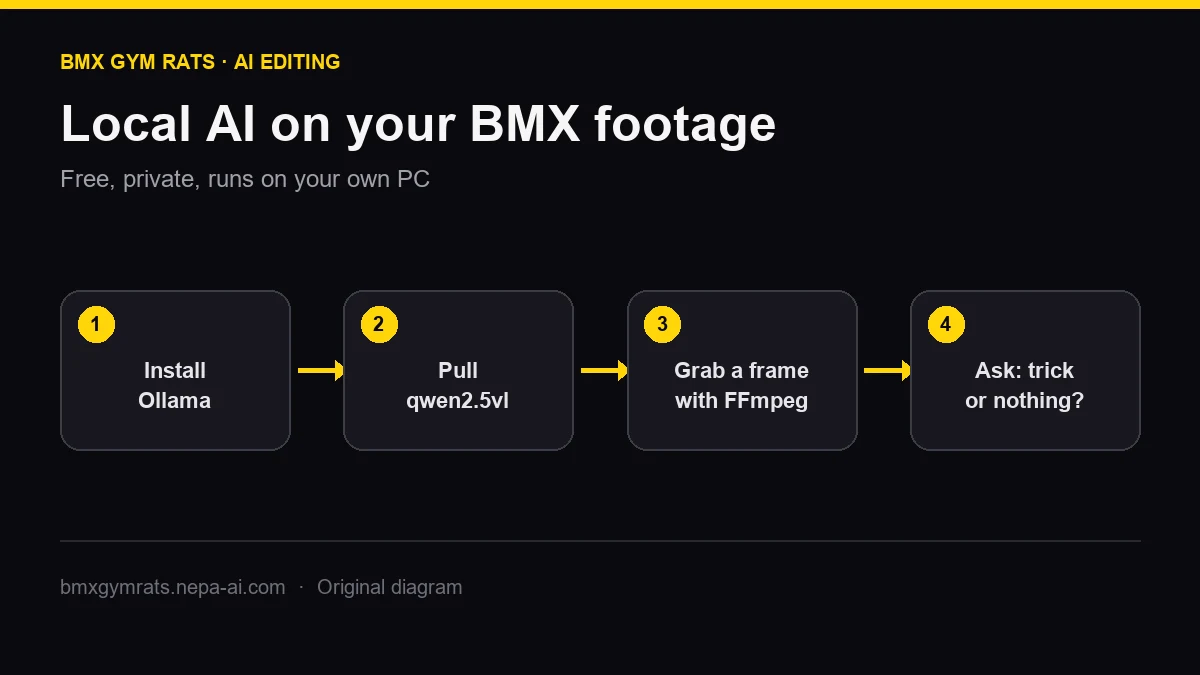
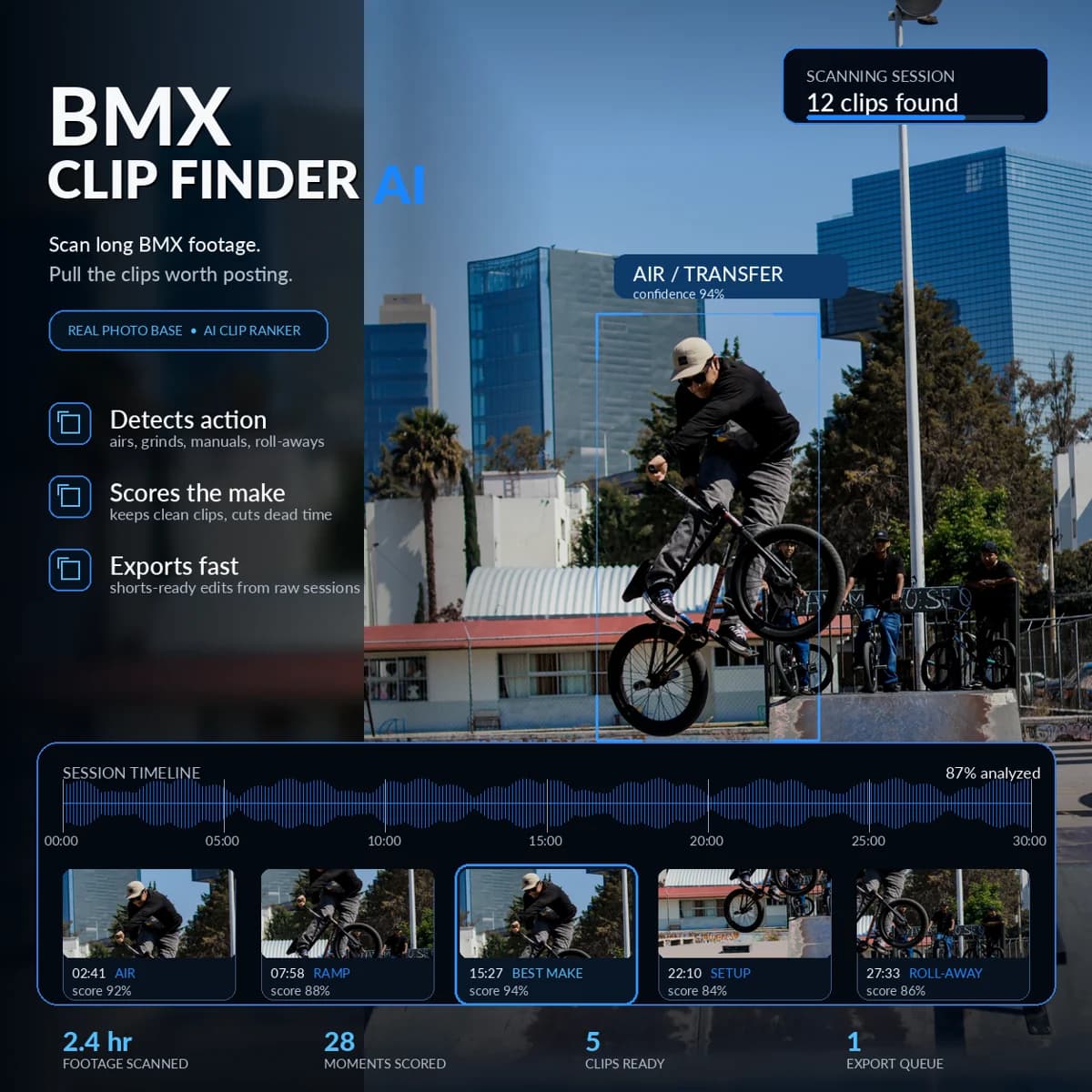
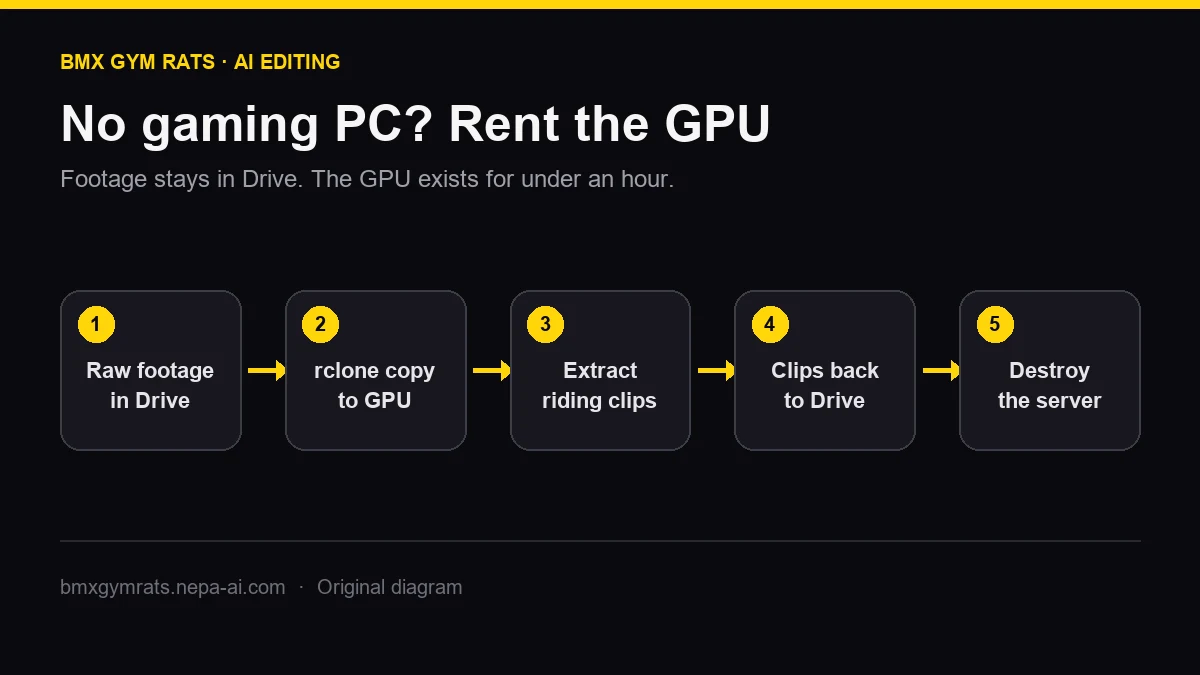
Editing the footage: once the session is on the card, install Ollama and run local AI on your BMX footage, then automate BMX video editing with AI so every landed clip is found for you. No gaming PC? Edit BMX footage with a cloud GPU instead.